
Introduction
Some of us want to make our Notion dashboards ✨ extra creative ✨ as I do.
There’s something about widgets that makes our dashboards fun and productive!
But first, what is a widget?

I’m sure you’ve heard or come across this term online a lot. 👩💻💭
A widget is a small tool that you can add to your phone, laptop, website, etc., with a specific purpose.
But compared to other widgets, mine are specifically made for your Notion dashboards, just like the one in the photo below. 🫶
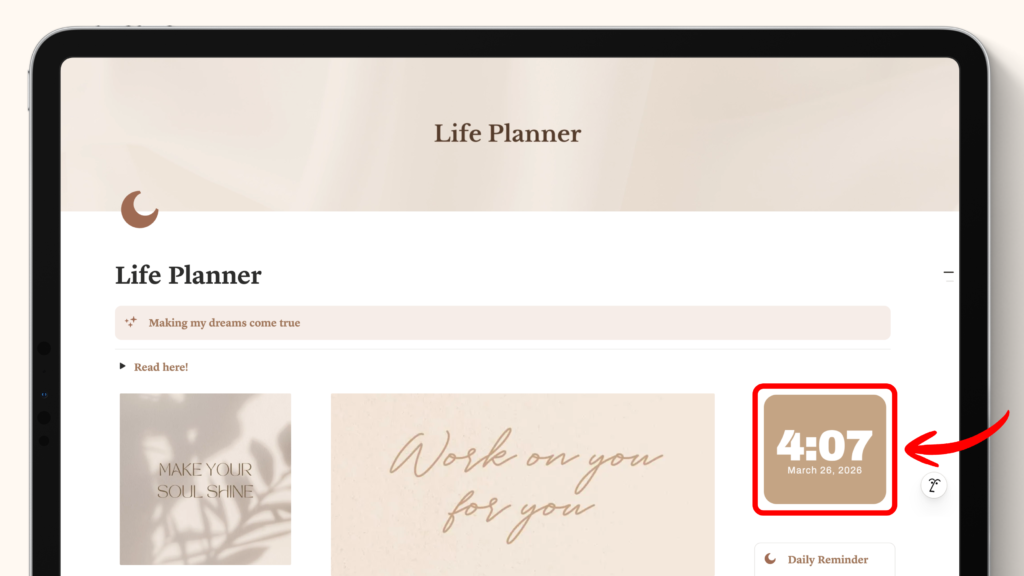
Watch my tutorial video here 👇
Going back, it’s so easy to embed widgets in your Notion dashboards with a few steps.
Here’s how you can do it:
STEP 1: Go to gracedigitalsco.site
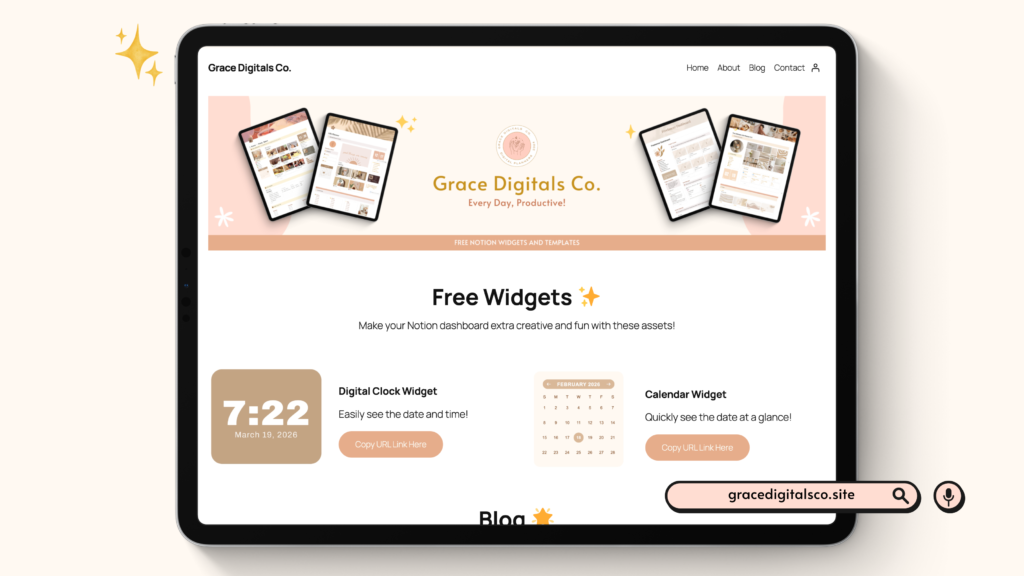
Scroll through my homepage and choose your desired widget.
I created a few widgets for your Notion dashboards with different functionalities, like the following:
- Digital Clock
- Mini Calendar
STEP 2: Click the “Copy URL Link Here” button on the homepage
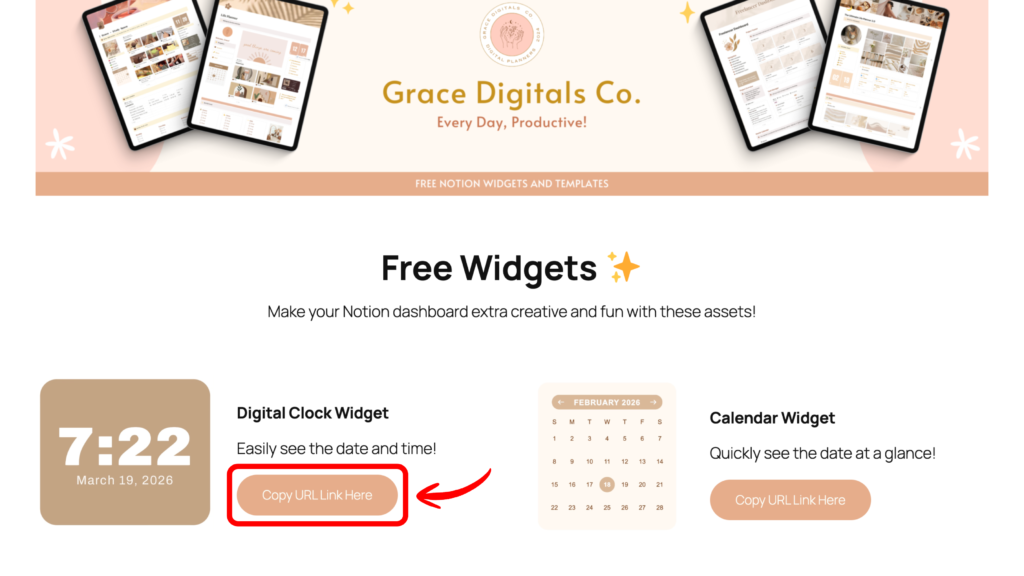
Once you do this, you’ll be directed to a page with different color options of your chosen widget.
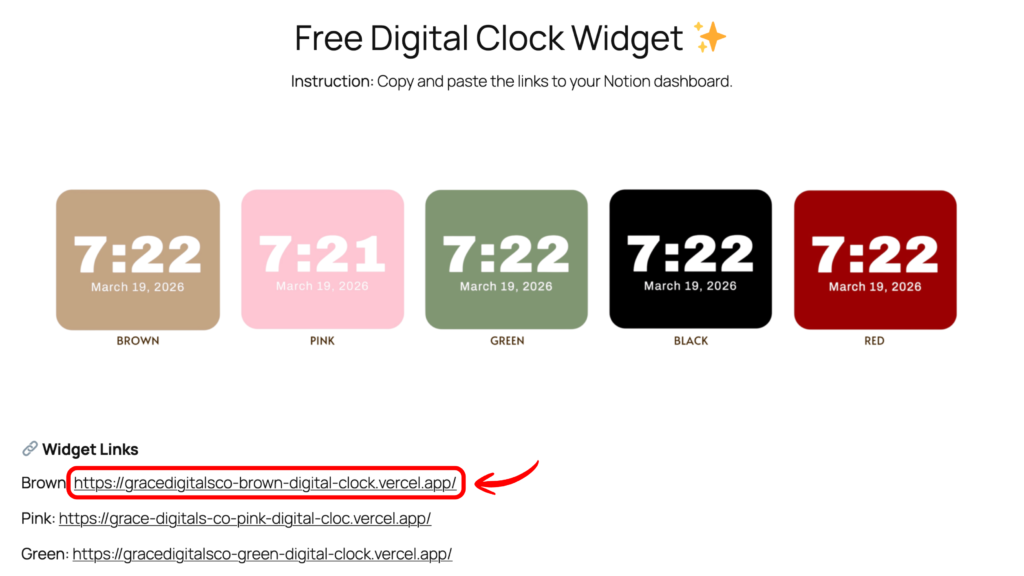
For my digital clock widget, I launched 5 different colors:
- Brown
- Pink
- Green
- Red
- Black
STEP 3: Copy the widget link
This is super easy!
There are 2 simple ways to do this:
- Select the link and copy it.
- Or click the widget link, you’ll be directed to the deployed widget on Vercel and copy the URL.
STEP 4: Open your Notion Dashboard
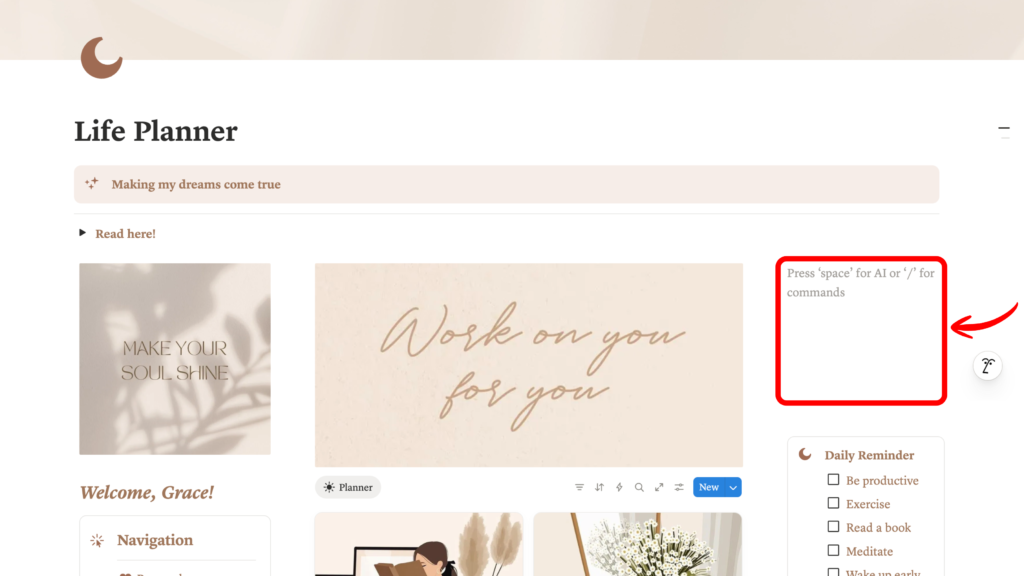
Already have a template?
You can access it in your workspace even with a FREE account.
Need free aesthetic Notion templates? Visit my Gumroad shop and get your copy here.
STEP 5: Embed the widget link on Notion
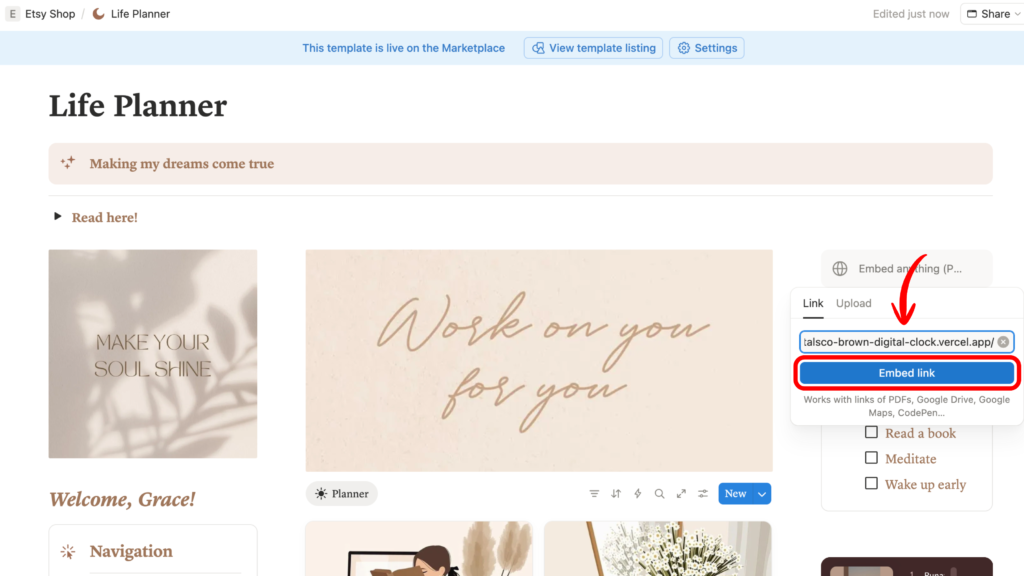
In an empty space, type /embed and paste the link to the embed block.
Click the “Embed link” button and the widget should appear in your template.
To change the placement, drag the embedded widget around your dashboard with columns.
That’s all! 🌟
Summary
A widget is a tool with specific functionality for mobile devices, desktops or websites.
I created FREE embeddable widgets, available in various colors for your Notion dashboards to make them extra fun and creative!
You can copy the widget link and embed it in Notion with a free account.

If you have questions or inquiries, send me an email here: gracedigitalss.co@gmail.com 💌
Got feedback? Would love to hear your thoughts in the comments section below! 💭
📌 Try my free widgets here.
Leave a Reply